Personalized & Collaborative
Itinerary Design
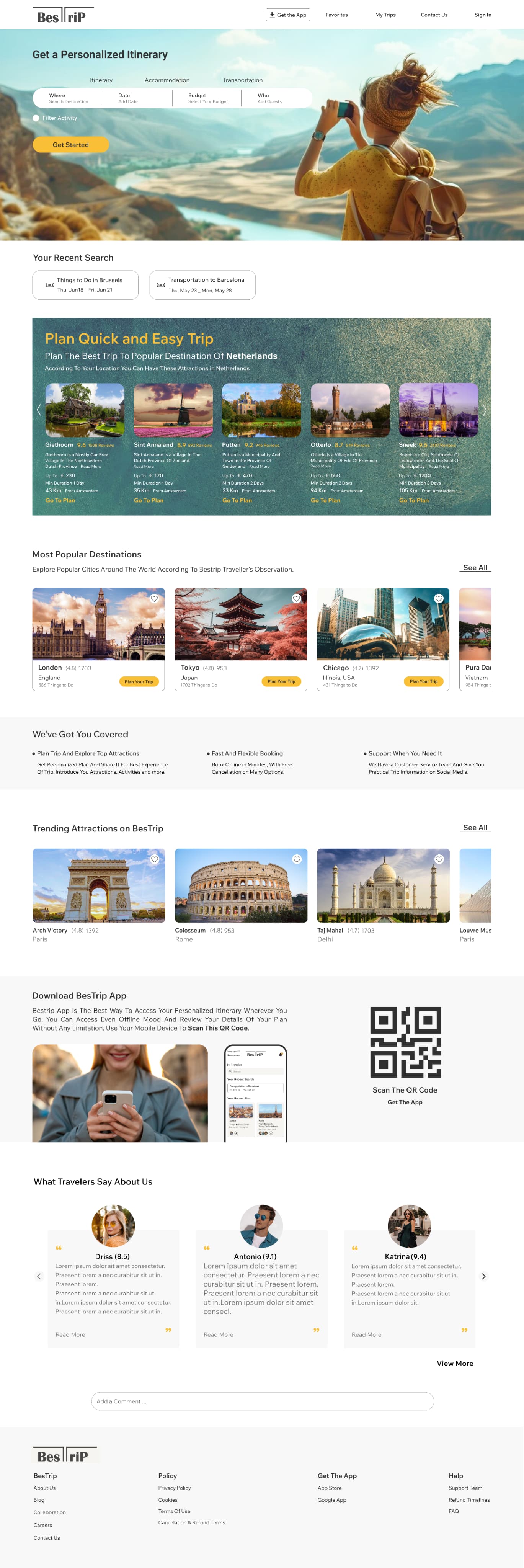
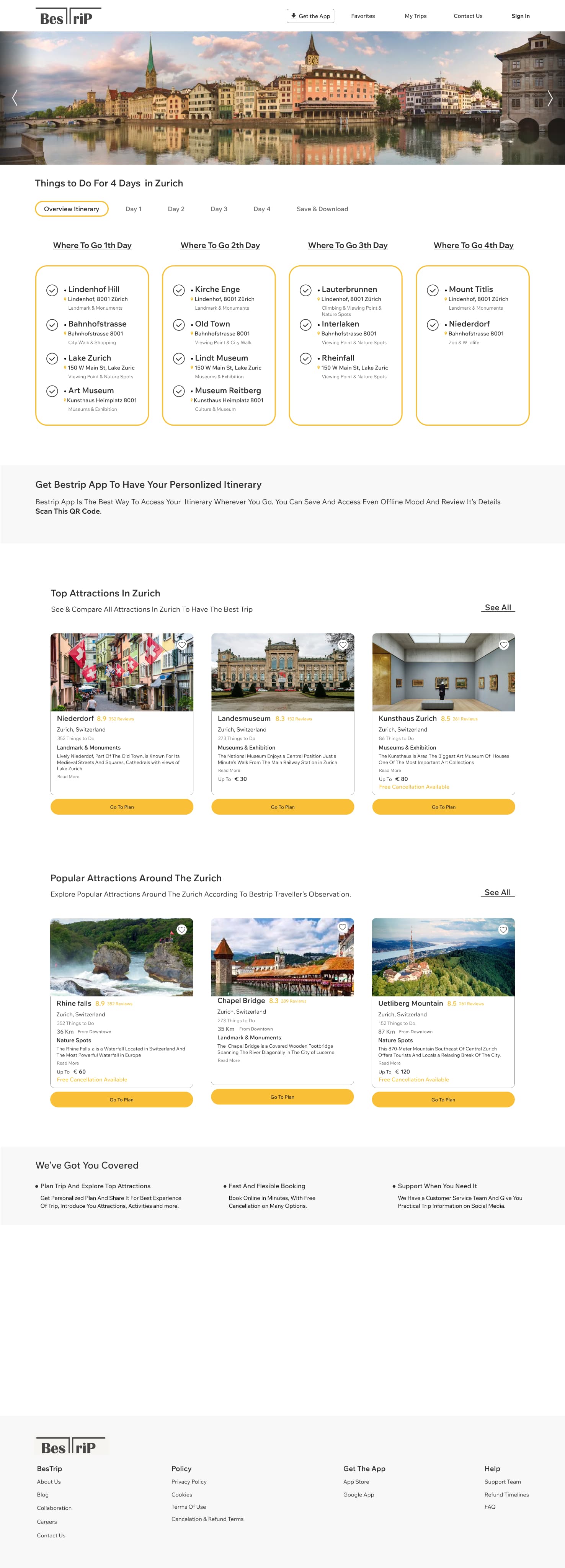
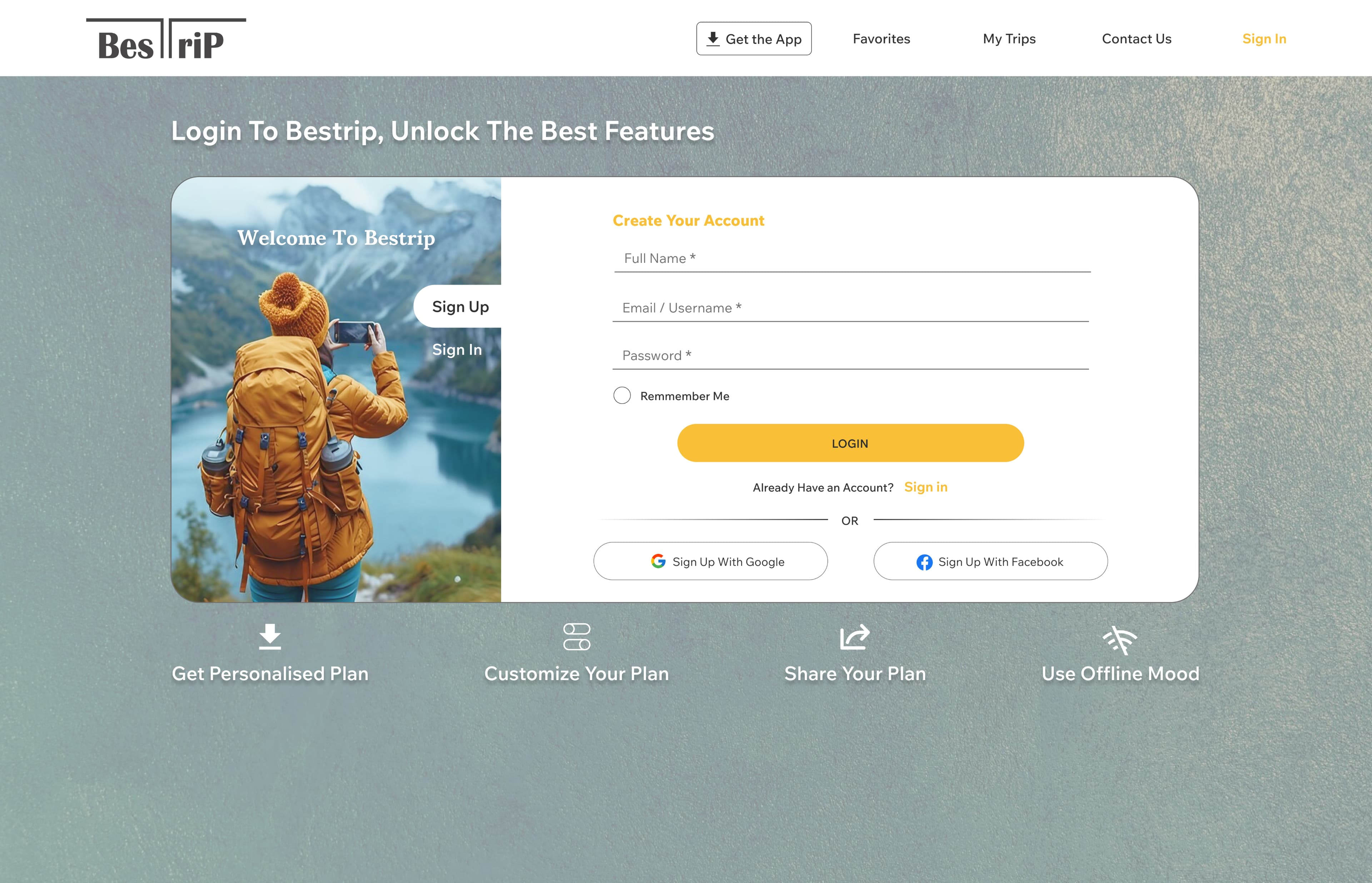
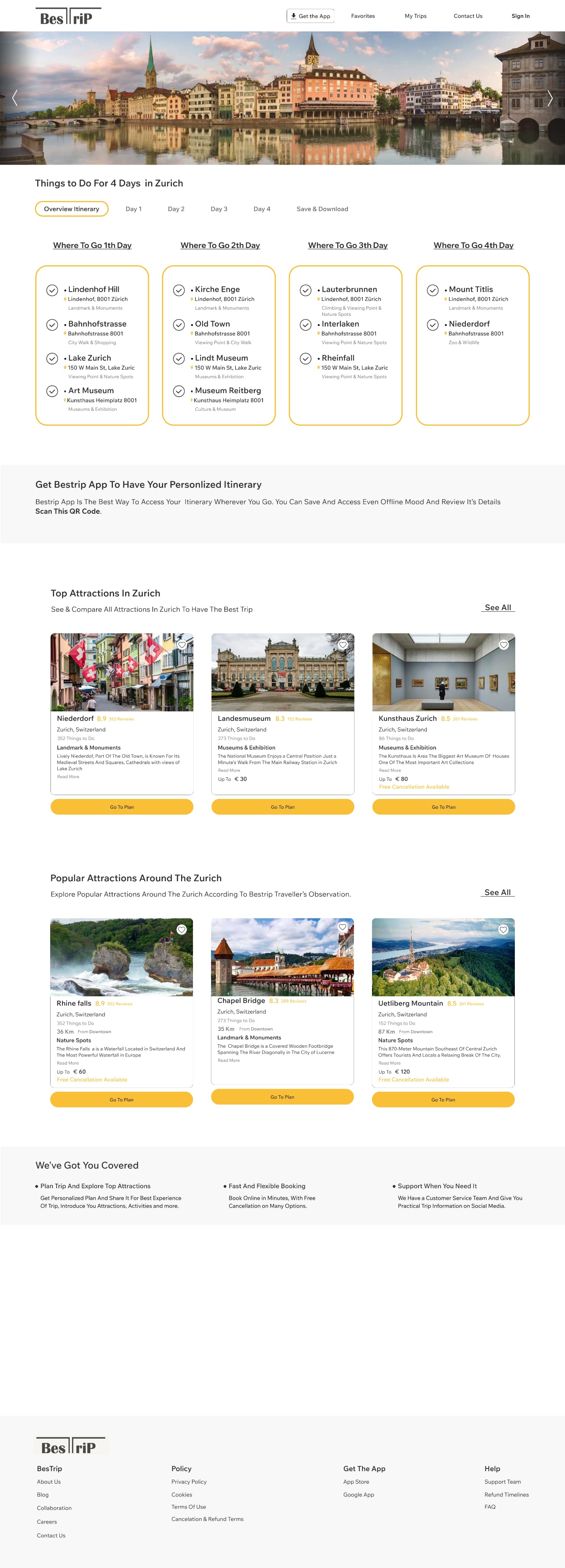
I created Bestrip website to make travel planning less of a headache and more of a joy. Instead of settling for generic itineraries, the app helps travellers build personalized, day-by-day journeys shaped by their own time, budget, and style — and even co-plan those trips with companions.
Because this was a solo project, I had the freedom to dive deep into the problem — questioning why planning often feels generic, validating real traveller needs, and experimenting with solutions that balance personalization, reliability, and true collaboration.
Personalized & Collaborative
Itinerary Design
I created Bestrip website to make travel planning less of a headache and more of a joy. Instead of settling for generic itineraries, the app helps travellers build personalized, day-by-day journeys shaped by their own time, budget, and style — and even co-plan those trips with companions.
Because this was a solo project, I had the freedom to dive deep into the problem — questioning why planning often feels generic, validating real traveller needs, and experimenting with solutions that balance personalization, reliability, and true collaboration.
Case Summary
Problem
Planning a trip takes too much time. Tools are scattered, information is all over the place, and most itineraries feel generic. Travellers want personalized journeys — and often need to plan them together — but what they get is one-size-fits-all. Bestrip changes that with adaptive, intelligent, and collaborative planning.
Solution
As the UX/UI Designer, I designed Bestrip to make trip planning fast, intuitive, and collaborative. Users can create personalized itineraries, easily adjust activities, and co-edit plans with companions, with offline access ensuring continuity.
By streamlining exploration, scheduling, and booking, the design reduces cognitive load, speeds up decision-making, and enhances overall satisfaction.
My Role
UX/UI Designer
This project was a three-person team collaboration where I took the lead role as the UX/UI Designer, responsible for user research, experience strategy, and interface design—from initial sketches and wireframing to the final high-fidelity prototype.
Duration: 2 months
Case Summary
Problem
Planning a trip takes too much time. Tools are scattered, information is all over the place, and most itineraries feel generic. Travellers want personalized journeys — and often need to plan them together — but what they get is one-size-fits-all. Bestrip changes that with adaptive, intelligent, and collaborative planning.
Solution
As the UX/UI Designer, I designed Bestrip to make trip planning fast, intuitive, and collaborative. Users can create personalized itineraries, easily adjust activities, and co-edit plans with companions, with offline access ensuring continuity.
By streamlining exploration, scheduling, and booking, the design reduces cognitive load, speeds up decision-making, and enhances overall satisfaction.
My Role
UX/UI Designer
This project was a three-person team collaboration where I took the lead role as the UX/UI Designer, responsible for user research, experience strategy, and interface design—from initial sketches and wireframing to the final high-fidelity prototype.
Duration: 2 months
Do travellers actually need another planning tool?
The first question I asked myself was whether trip planning really needed a new solution. Every time I planned a journey, I found myself juggling multiple tools, scattered notes, and endless browser tabs — and still ending up with a generic itinerary that didn't fit my time or budget. What struck me even more was how isolating the process felt: existing tools made it hard to truly plan together, forcing groups to coordinate through endless messages and external docs. I wanted to know if this frustration was just mine, or if others felt the same. To explore this, I interviewed different types of travelers — from frequent flyers to casual vacationers — to better understand how they currently approach planning their trips.
Do travellers actually need another planning tool?
The first question I asked myself was whether trip planning really needed a new solution. Every time I planned a journey, I found myself juggling multiple tools, scattered notes, and endless browser tabs — and still ending up with a generic itinerary that didn't fit my time or budget. What struck me even more was how isolating the process felt: existing tools made it hard to truly plan together, forcing groups to coordinate through endless messages and external docs. I wanted to know if this frustration was just mine, or if others felt the same. To explore this, I interviewed different types of travelers — from frequent flyers to casual vacationers — to better understand how they currently approach planning their trips.
This is what really matters.
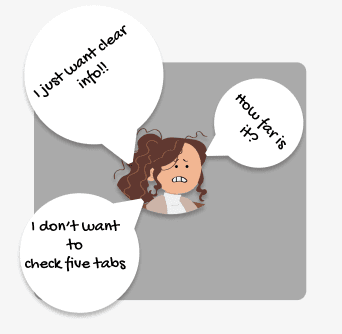
1. Reliable & Clear Planning
Users need travel information that is both easy to understand and trustworthy — from distances and travel times to opening hours and ticket availability.
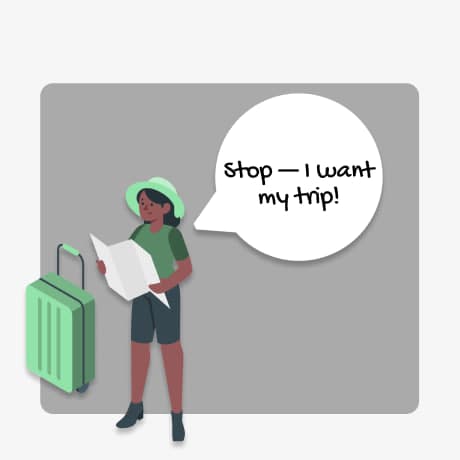
2. Personalized Itineraries
Travellers don't want generic plans; they want itineraries that reflect their own interests, style, and pace.
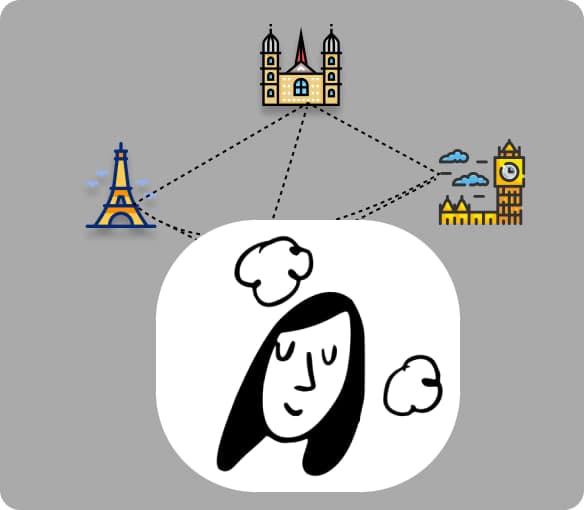
3. Multi-destination Planning
Trips often span multiple cities or even countries, so users need the ability to combine destinations into one unified itinerary instead of creating separate plans.
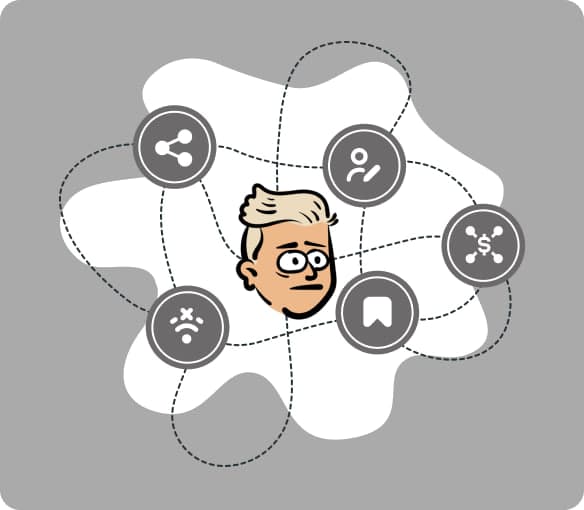
4. Flexible Within Limits
Plans should adapt to real constraints — users need to edit, reshuffle, or adjust activities while keeping budget and time in check.

5. Collaborative Planning
Travelers want to co-create itineraries with companions — inviting others to view, edit, and contribute so that the whole group can plan seamlessly in one place.
This is what really matters.
1. Reliable & Clear Planning
Users need travel information that is both easy to understand and trustworthy — from distances and travel times to opening hours and ticket availability.
2. Personalized Itineraries
Travellers don't want generic plans; they want itineraries that reflect their own interests, style, and pace.
3. Multi-destination Planning
Trips often span multiple cities or even countries, so users need the ability to combine destinations into one unified itinerary instead of creating separate plans.
4. Flexible Within Limits
Plans should adapt to real constraints — users need to edit, reshuffle, or adjust activities while keeping budget and time in check.
5. Collaborative Planning
Travelers want to co-create itineraries with companions — inviting others to view, edit, and contribute so that the whole group can plan seamlessly in one place.
Defining the Right Questions
During user research, it became clear that personalization depends on asking the right inputs. Which questions actually matter most for building a meaningful itinerary? Budget, trip duration, travel style, and preferred activities consistently emerged as the factors that shaped the experience. Too many questions would overwhelm users, while too few would make the plan feel generic — so striking this balance became a core design decision. Another insight was that planning is rarely done alone: many travellers organize trips with friends or family, yet existing tools offered little real collaboration beyond simple sharing. This gap shaped the dual focus of Bestrip on both personalization and co-planning.
Travel planning isn't a new idea —
So what are others already doing about it?
The travel app market is crowded, but not necessarily effective. I reviewed several well-known platforms — from TripIt and Google Trips to Rome2Rio and Expedia — to understand where they shine and where they fall short.
Most polished apps focused heavily on inspiration and discovery, but often overlooked the real needs travelers voiced: clear and reliable information, personalization, and flexibility. In practice, users often had to jump back to Google Maps to check routes, or visit external websites to confirm tickets and opening hours. Some tools didn't allow adding custom activities at all, leaving travelers stuck with generic templates. Multi-destination trips were also poorly supported, forcing users to create separate plans for each city. Finally, collaboration features were limited to basic sharing, without any real co-editing or group planning capabilities.
These gaps showed a consistent pattern: while many apps support parts of the journey, very few provide a seamless, personalized, and collaborative planning experience. This gap became the foundation for Bestrip.




Defining the Right Questions
During user research, it became clear that personalization depends on asking the right inputs. Which questions actually matter most for building a meaningful itinerary? Budget, trip duration, travel style, and preferred activities consistently emerged as the factors that shaped the experience. Too many questions would overwhelm users, while too few would make the plan feel generic — so striking this balance became a core design decision. Another insight was that planning is rarely done alone: many travellers organize trips with friends or family, yet existing tools offered little real collaboration beyond simple sharing. This gap shaped the dual focus of Bestrip on both personalization and co-planning.
Travel planning isn't a new idea —
So what are others already doing about it?
The travel app market is crowded, but not necessarily effective. I reviewed several well-known platforms — from TripIt and Google Trips to Rome2Rio and Expedia — to understand where they shine and where they fall short.
Most polished apps focused heavily on inspiration and discovery, but often overlooked the real needs travelers voiced: clear and reliable information, personalization, and flexibility. In practice, users often had to jump back to Google Maps to check routes, or visit external websites to confirm tickets and opening hours. Some tools didn't allow adding custom activities at all, leaving travelers stuck with generic templates. Multi-destination trips were also poorly supported, forcing users to create separate plans for each city. Finally, collaboration features were limited to basic sharing, without any real co-editing or group planning capabilities.
These gaps showed a consistent pattern: while many apps support parts of the journey, very few provide a seamless, personalized, and collaborative planning experience. This gap became the foundation for Bestrip.
What am I building?
Research showed me the biggest gaps in travel planning: generic itineraries, scattered tools, and lack of flexibility. So instead of reinventing inspiration feeds or adding another social layer, I focused v1 of Bestrip on solving the core pain points:
· Plans that adapt with you → Flexible itineraries that can be edited, reshuffled, or adjusted while staying aligned with budget and time.
· Always accessible, always yours → Save, sync, and take your trip offline so it's never out of reach.
· One trip, many destinations → Add multiple cities or even countries into a single unified itinerary.
· Made together, not alone → Invite companions to view, edit, and co-create plans seamlessly in one place.
· Reliable details you can trust → Opening hours and ticket availability built in, so no more tab-hopping to confirm..
What am I building?
Research showed me the biggest gaps in travel planning: generic itineraries, scattered tools, and lack of flexibility. So instead of reinventing inspiration feeds or adding another social layer, I focused v1 of Bestrip on solving the core pain points:
· Plans that adapt with you → Flexible itineraries that can be edited, reshuffled, or adjusted while staying aligned with budget and time.
· Always accessible, always yours → Save, sync, and take your trip offline so it's never out of reach.
· One trip, many destinations → Add multiple cities or even countries into a single unified itinerary.
· Made together, not alone → Invite companions to view, edit, and co-create plans seamlessly in one place.
· Reliable details you can trust → Opening hours and ticket availability built in, so no more tab-hopping to confirm..
Translating insights into design
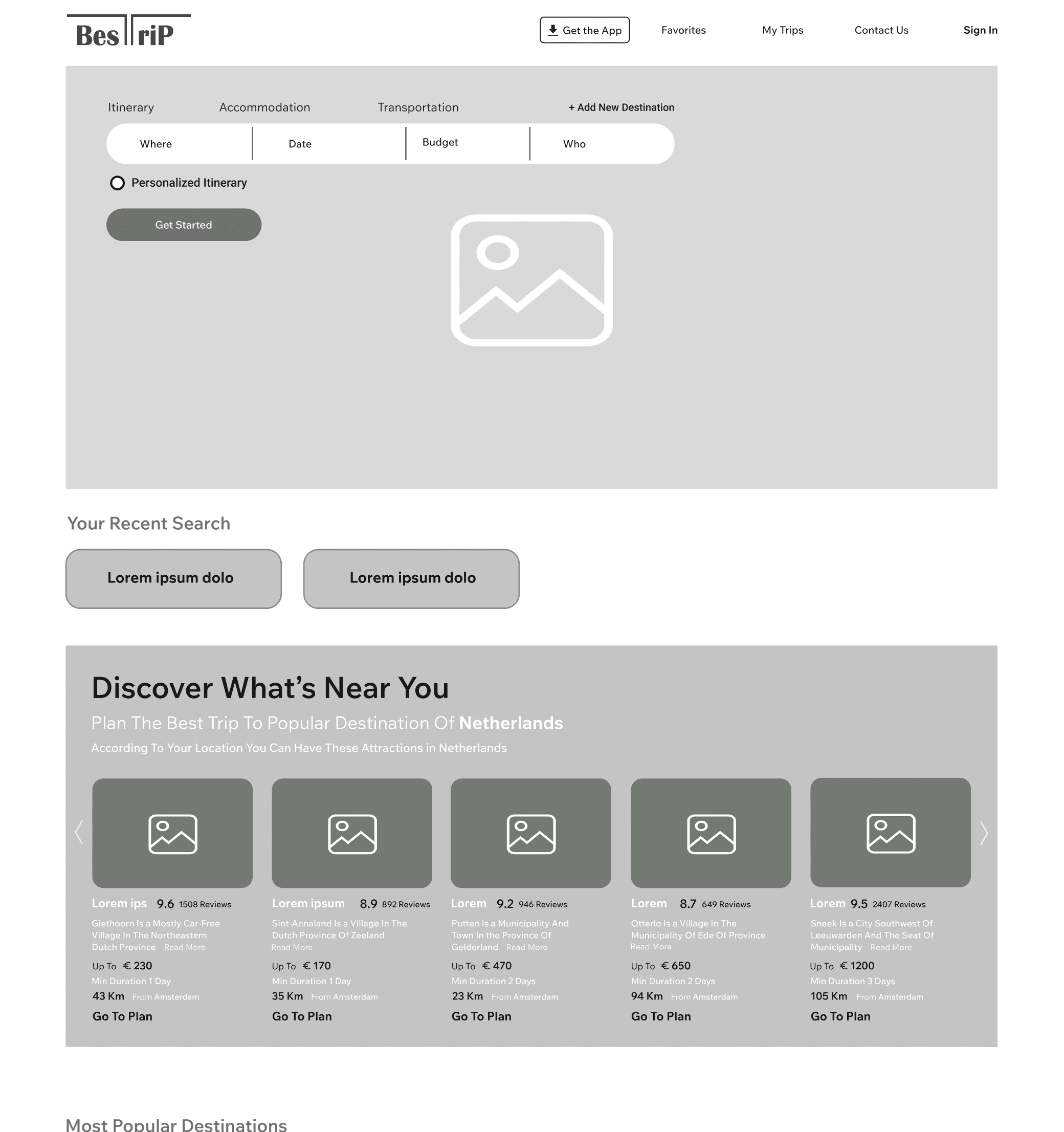
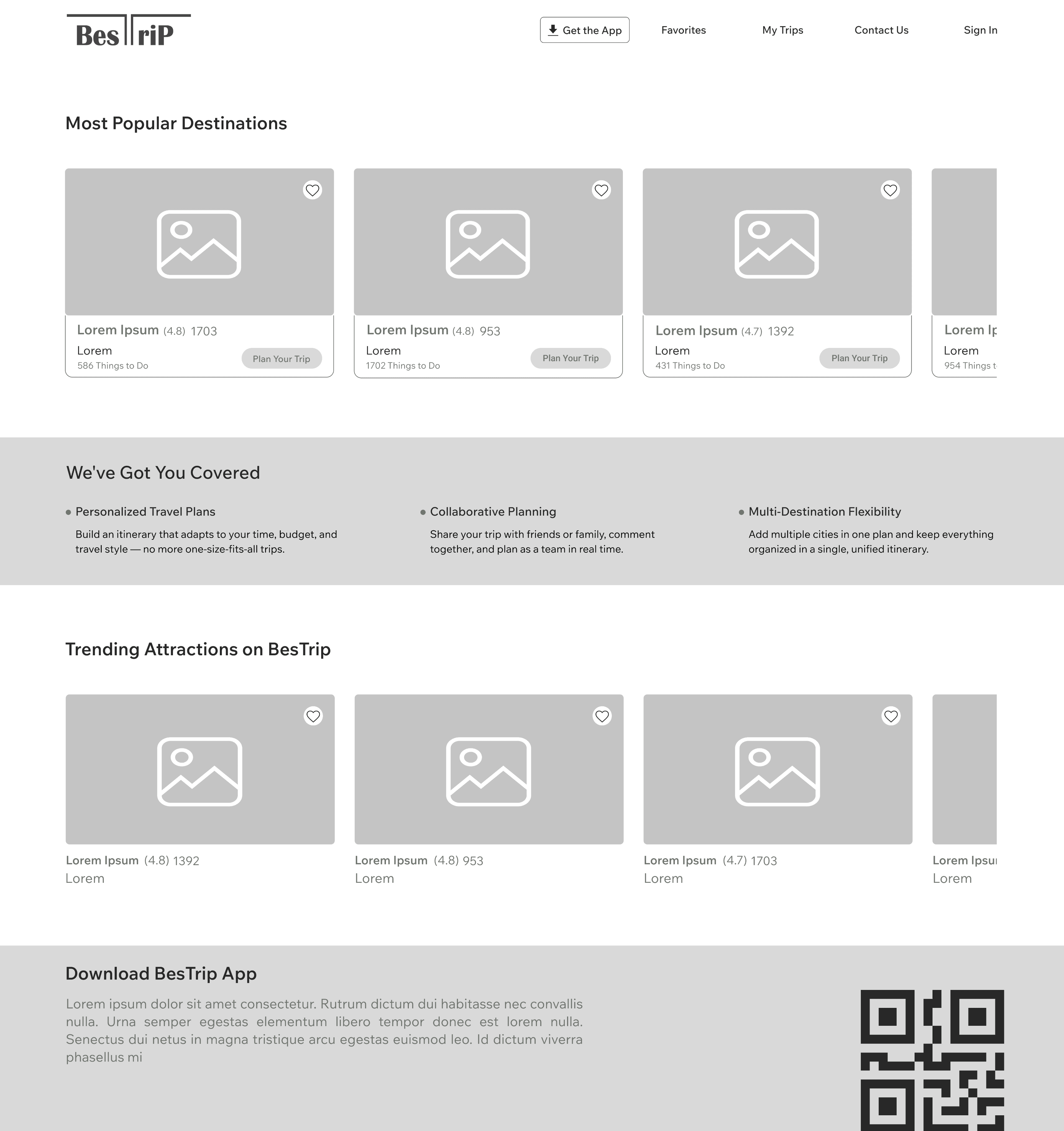
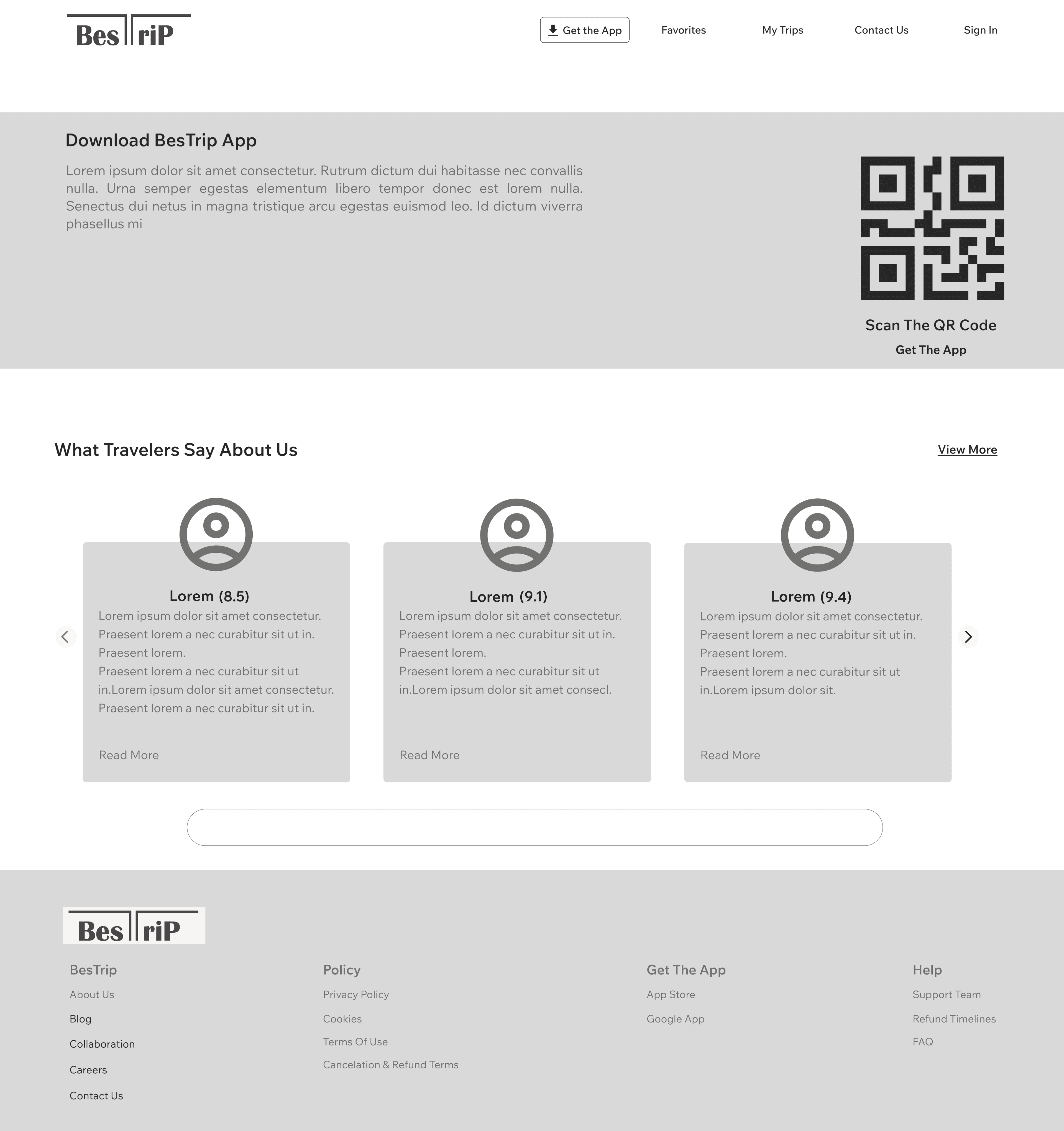
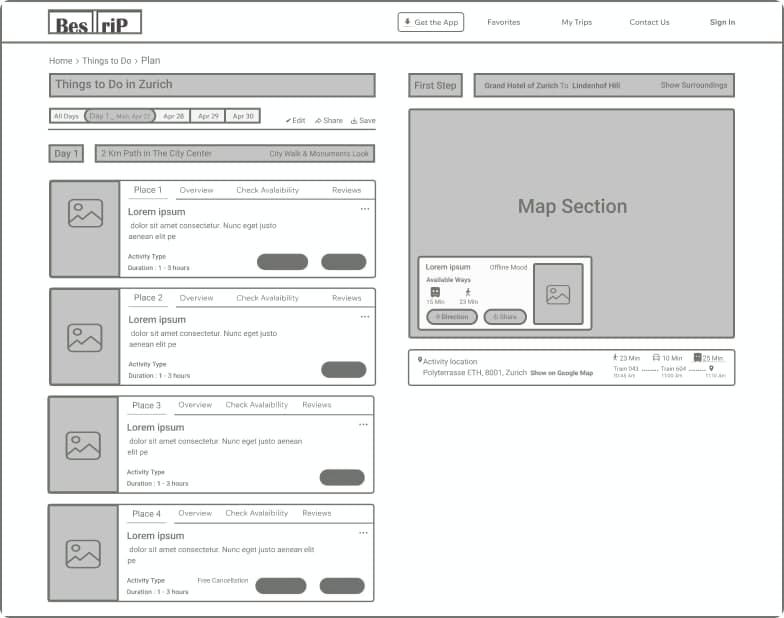
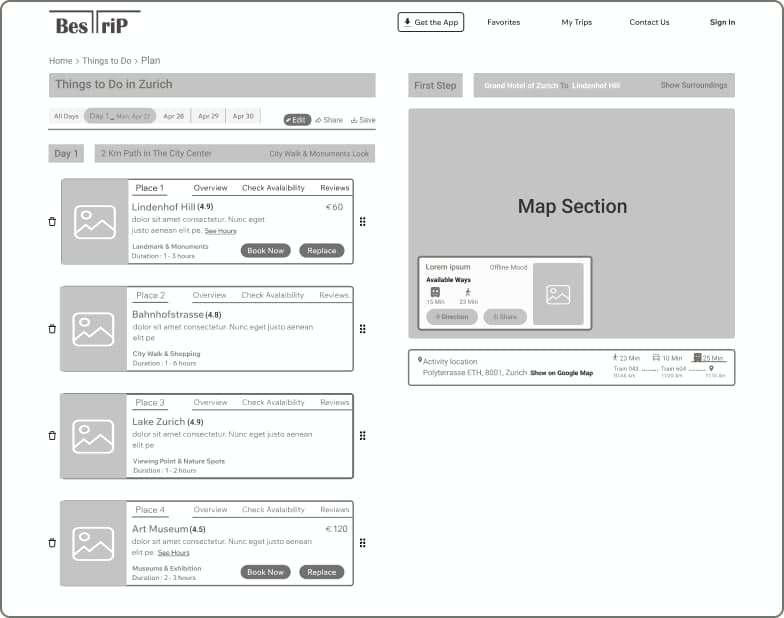
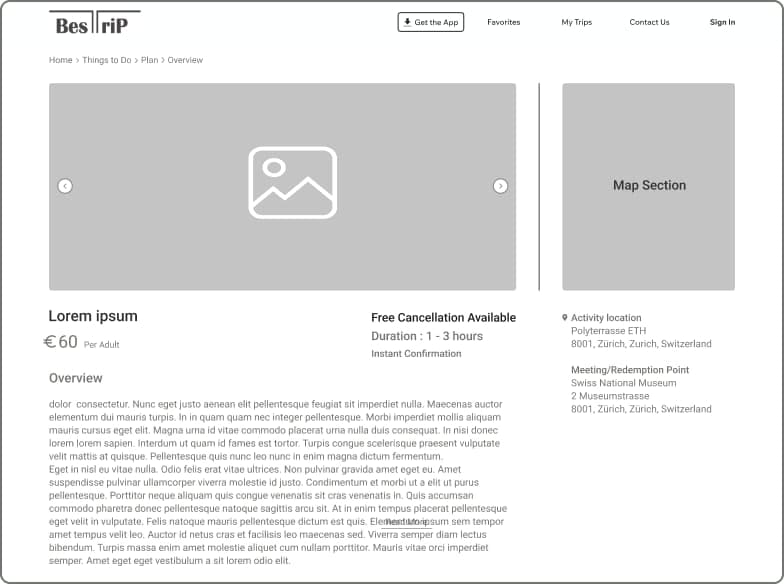
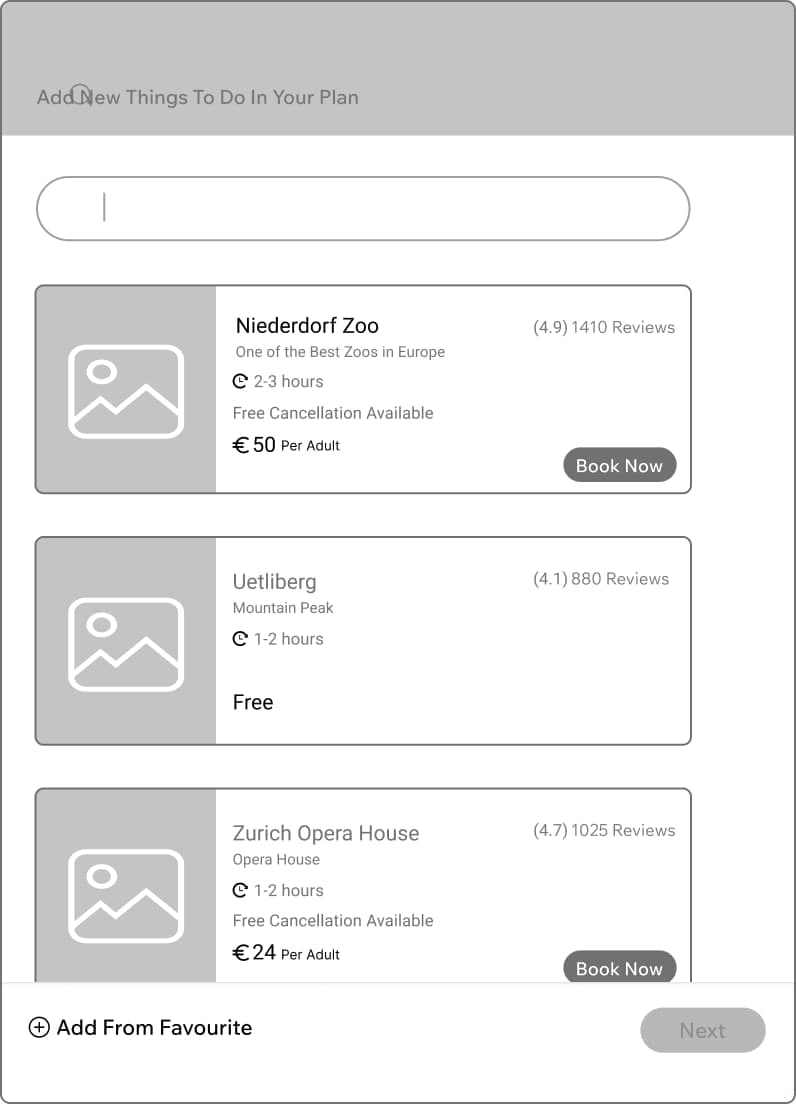
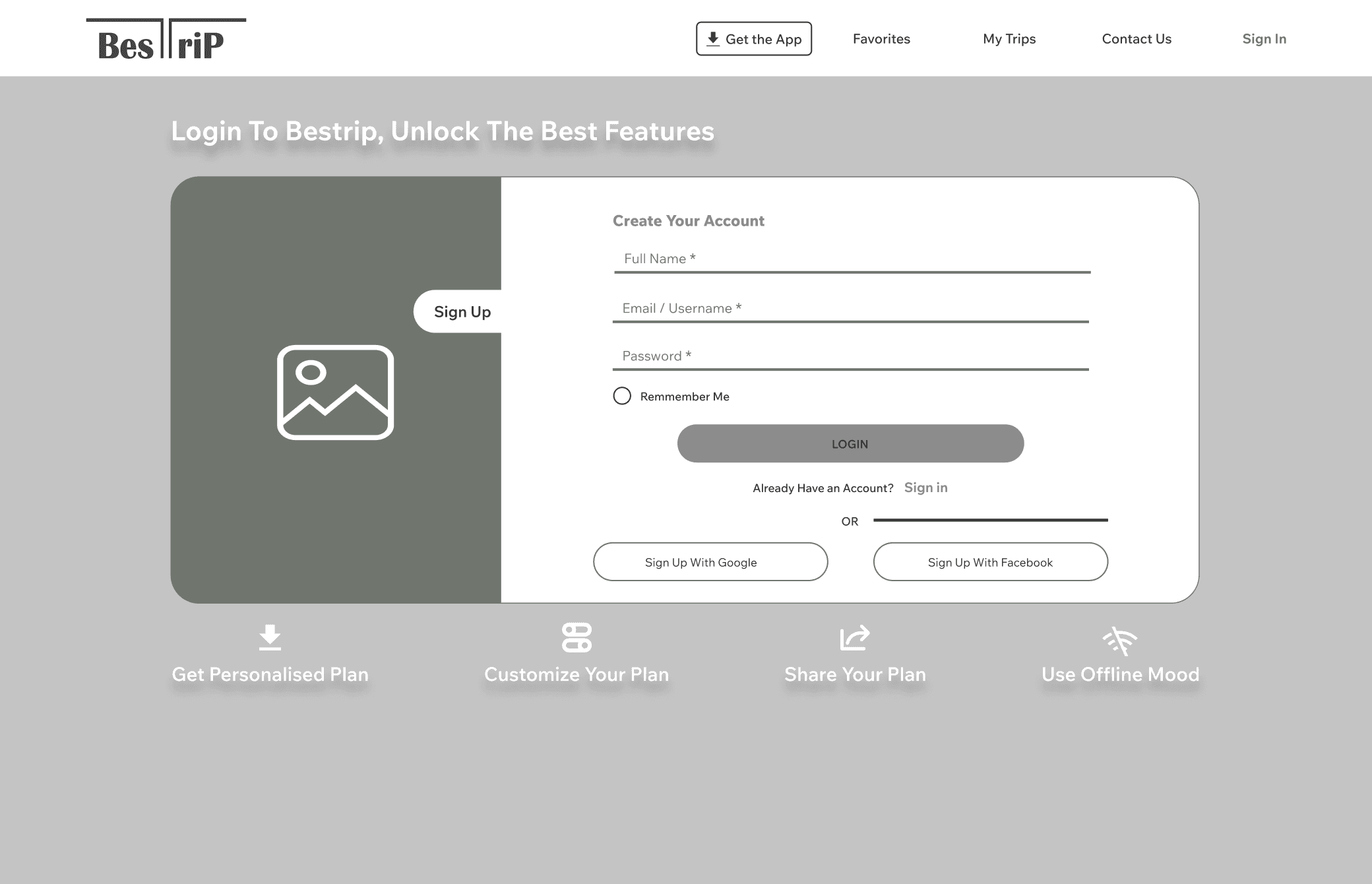
Sketching and wireframing revealed the real design trade-offs I had to solve. This stage wasn't just about drawing screens, but about questioning priorities and flows:
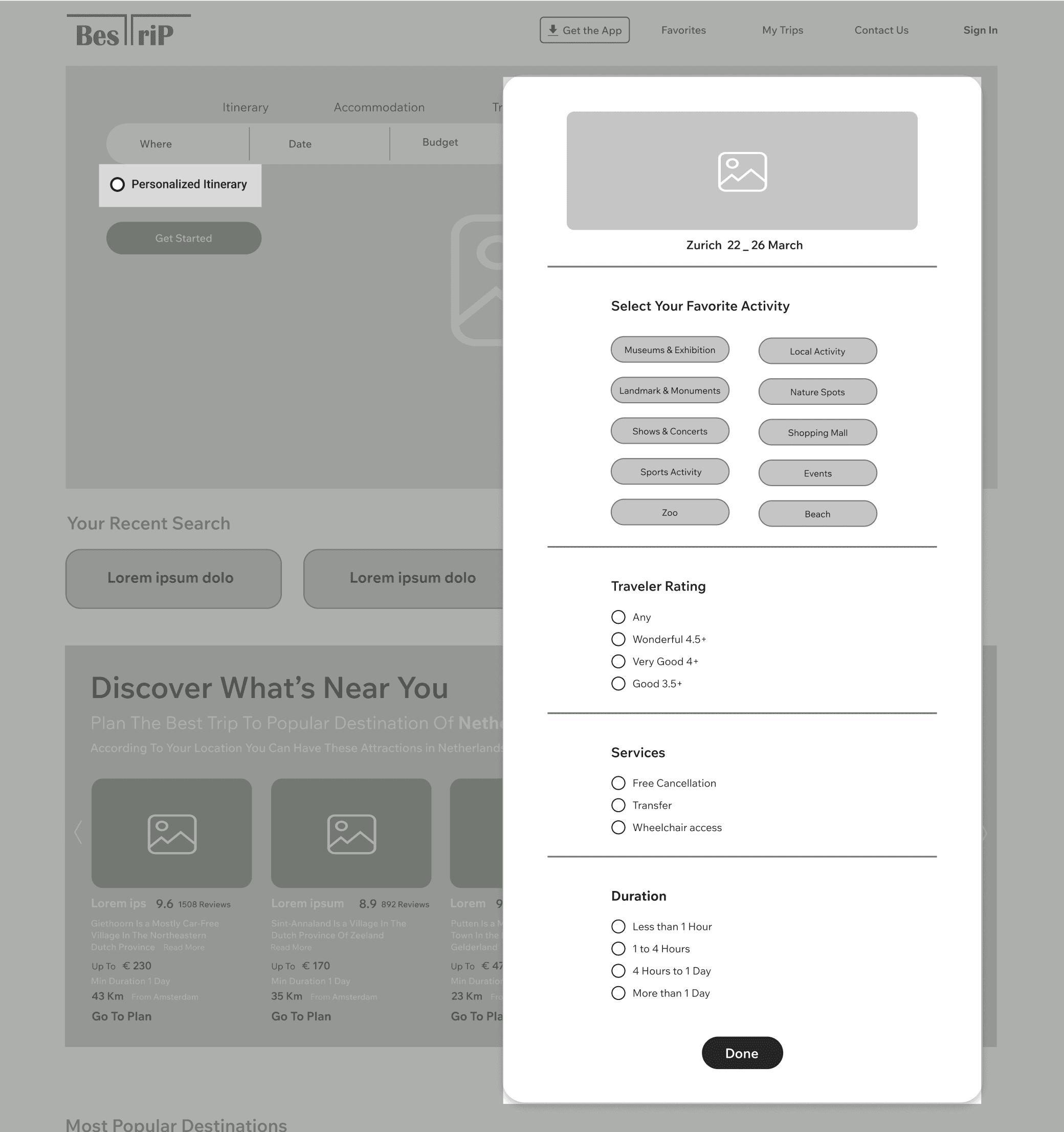
· What questions should users answer to personalize their trip? Would too many upfront questions feel tiring? Should only the most important ones be asked first, with optional extras later?
· How can adding a second city or country be designed to feel effortless and intuitive, without disrupting the flow?
· How can features like rearranging activities or budget tracking be offered without cluttering the interface?
· If multiple people are planning together, is it better to have a shared account or an invite-based system with view/edit roles?
Translating insights into design
Sketching and wireframing revealed the real design trade-offs I had to solve. This stage wasn't just about drawing screens, but about questioning priorities and flows:
· What questions should users answer to personalize their trip? Would too many upfront questions feel tiring? Should only the most important ones be asked first, with optional extras later?
· How can adding a second city or country be designed to feel effortless and intuitive, without disrupting the flow?
· How can features like rearranging activities or budget tracking be offered without cluttering the interface?
· If multiple people are planning together, is it better to have a shared account or an invite-based system with view/edit roles?
Listening to users
After sketching the initial wireframes, we decided to validate the flow before moving any further. The first focus was on the onboarding and personalization steps — the critical screens where users answer key questions to receive their tailored itinerary. Our goal was to ensure that the process felt intuitive, not overwhelming, and that users could follow the flow without confusion. To test this, we conducted early usability sessions with the low-fidelity wireframes. This allowed us to observe whether users could easily complete the steps, provide the necessary information, and reach a personalized plan smoothly. The insights from these tests gave us confidence in the direction and helped refine the design before investing in higher fidelity screens.
Key Observation 1: From Clutter to Clarity
Insights
I observed that users struggled to locate travel times and interpret the available options on the map. The screen felt cluttered, with too many buttons competing for attention, which made the layout confusing and overwhelming. As a result, users hesitated and often failed to quickly understand how to move between attractions.
Action
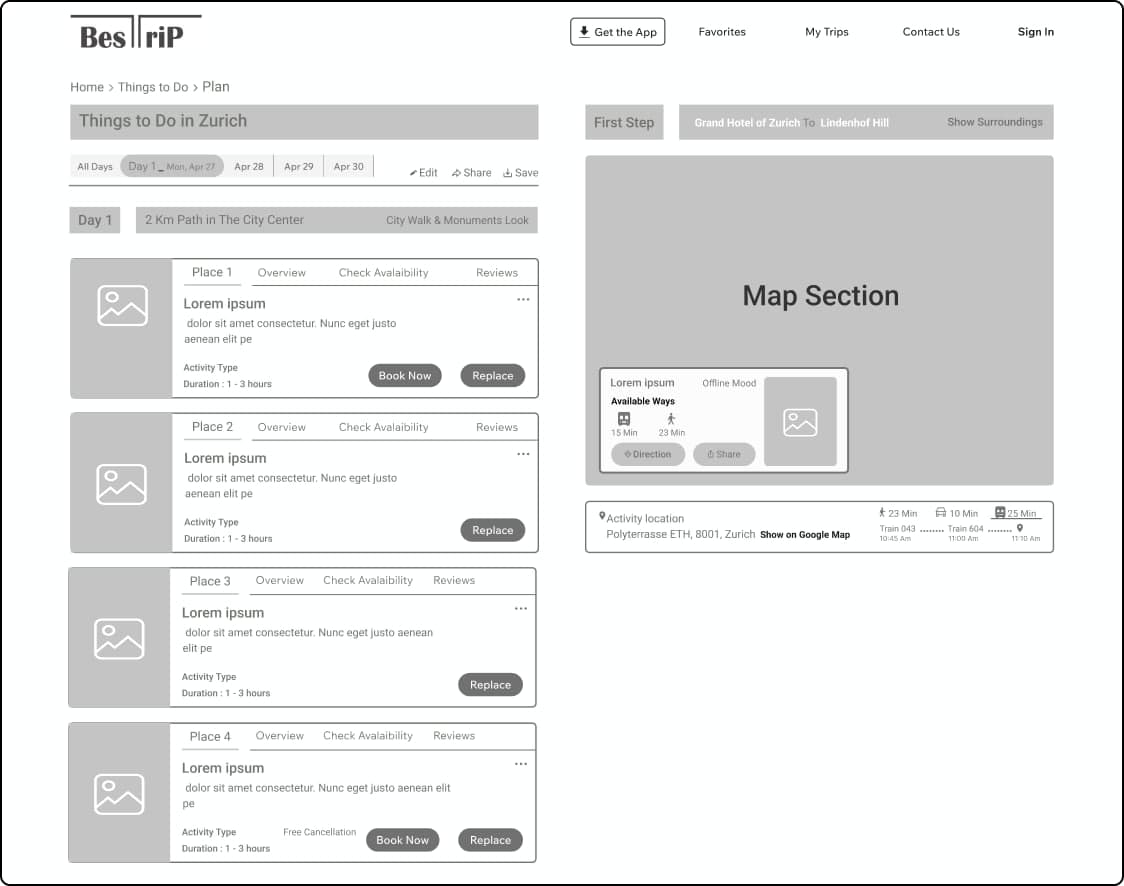
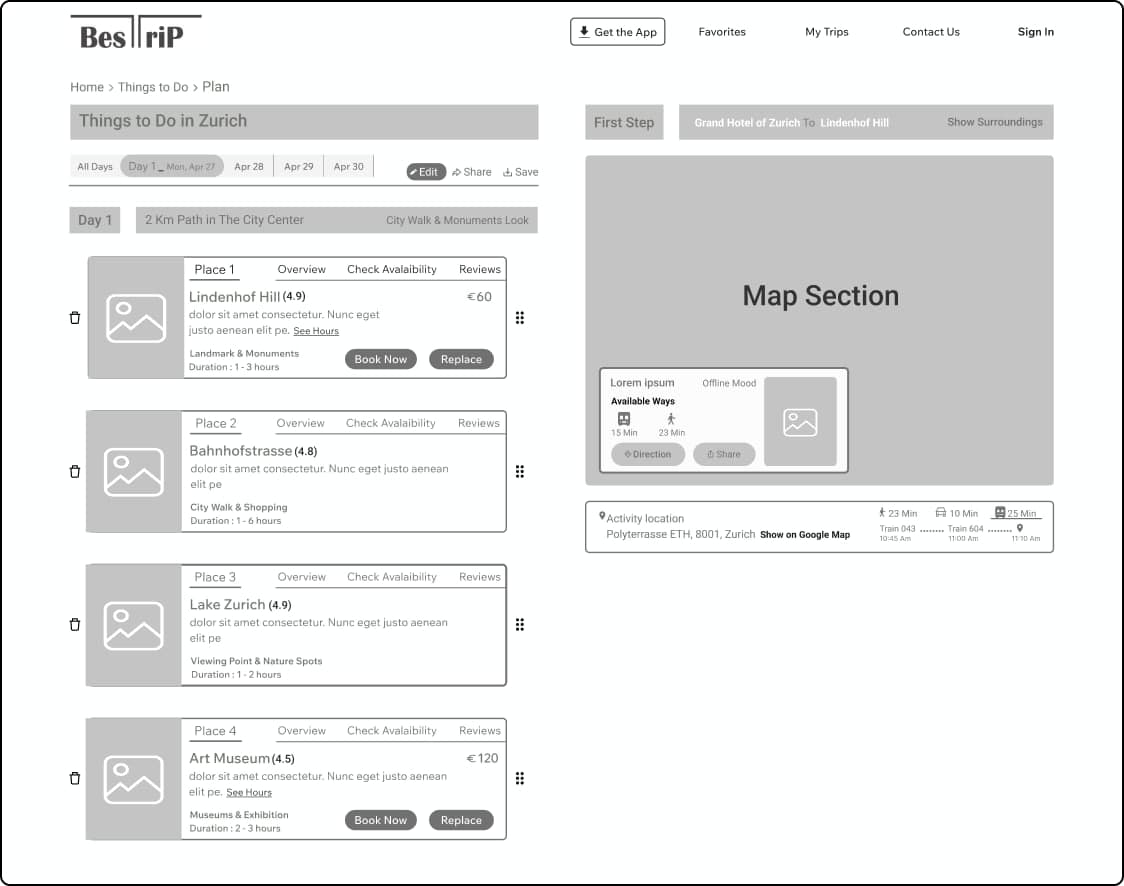
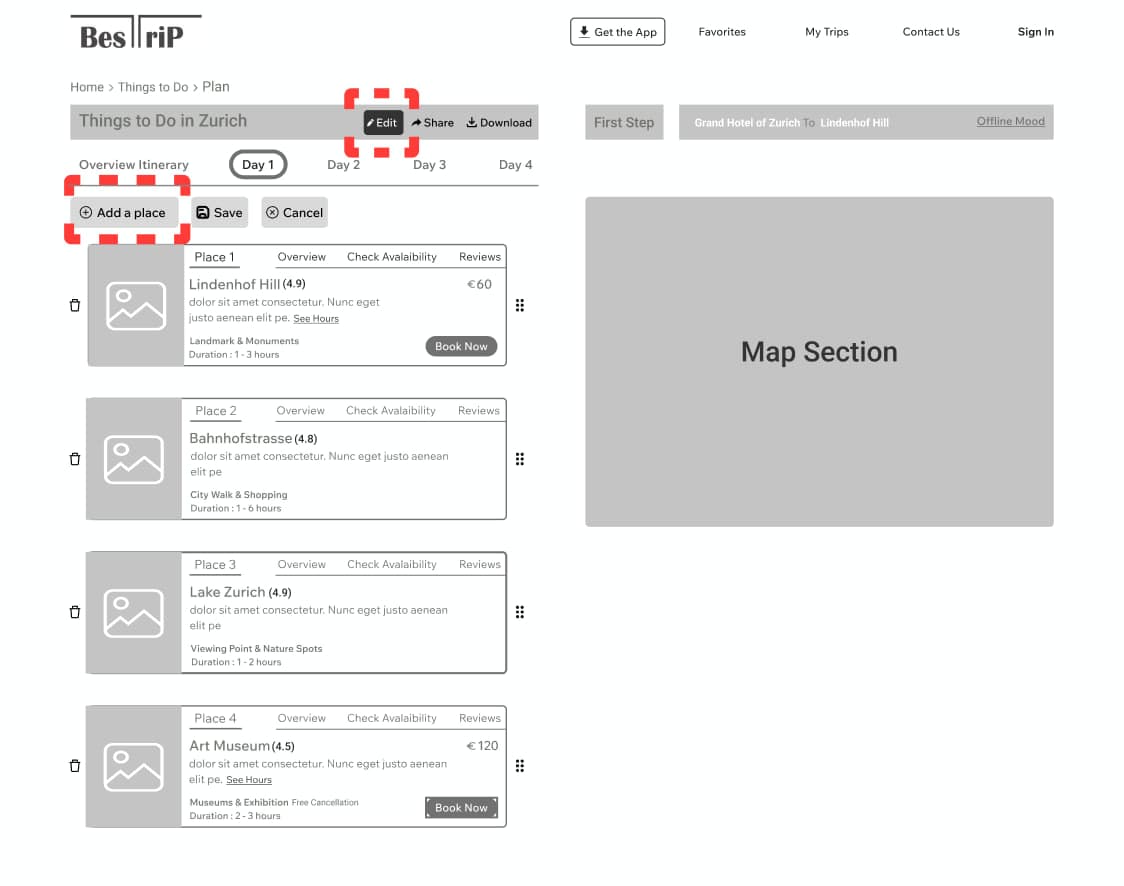
To address the clutter, we made a conscious decision to push the itinerary screen toward a more minimal layout. Our goal was simple: fewer buttons, less noise, and a cleaner map. Travel times were moved directly between activity cards, which allowed us to remove the extra box below the map. The offline mode toggle was relocated to the top of the page, leaving the left side dedicated solely to the map — free of distracting options. To further reduce button overload, the "replace" buttons on each activity card were removed and folded into the edit option. Now, when a user taps edit, they can easily delete or add activities without the interface feeling crowded. Below is the revised mid-fidelity design after incorporating the first round of feedback. Two main states are shown:
A: Overall view (default state)


B: Edit mode
Listening to users
After sketching the initial wireframes, we decided to validate the flow before moving any further. The first focus was on the onboarding and personalization steps — the critical screens where users answer key questions to receive their tailored itinerary. Our goal was to ensure that the process felt intuitive, not overwhelming, and that users could follow the flow without confusion. To test this, we conducted early usability sessions with the low-fidelity wireframes. This allowed us to observe whether users could easily complete the steps, provide the necessary information, and reach a personalized plan smoothly. The insights from these tests gave us confidence in the direction and helped refine the design before investing in higher fidelity screens.
Key Observation 1: From Clutter to Clarity
Insights
I observed that users struggled to locate travel times and interpret the available options on the map. The screen felt cluttered, with too many buttons competing for attention, which made the layout confusing and overwhelming. As a result, users hesitated and often failed to quickly understand how to move between attractions.
Action
To address the clutter, we made a conscious decision to push the itinerary screen toward a more minimal layout. Our goal was simple: fewer buttons, less noise, and a cleaner map. Travel times were moved directly between activity cards, which allowed us to remove the extra box below the map. The offline mode toggle was relocated to the top of the page, leaving the left side dedicated solely to the map — free of distracting options. To further reduce button overload, the "replace" buttons on each activity card were removed and folded into the edit option. Now, when a user taps edit, they can easily delete or add activities without the interface feeling crowded. Below is the revised mid-fidelity design after incorporating the first round of feedback. Two main states are shown:
A: Overall view (default state)
B: Edit mode
Turning challenges into solutions
Here's how the design evolved in response to the key issues we identified.
How do we personalize without overwhelming?
Two key questions shaped this challenge for me:
1. not every traveller even wants to go through a personalization flow — some just want to grab a quick, auto-generated plan.
2. while asking more and more detailed questions can lead to a more tailored plan, it also risks exhausting users.
The real challenge was designing a system that could strike the right balance: enough input to feel unique, optional depth for those who want it, and a shortcut for those who don't.
Main design choices:
· Personalization Selector: A radio button labelled "Personalized Itinerary" gives users a clear choice: activate it to answer a few questions and receive a tailored plan, or leave it off to instantly generate a quick default itinerary.
· Expand for More: To keep the experience light, I placed only the essential questions up front. For travellers who wanted a deeper level of personalization, I added an "Additional questions" section. This is hidden by default, but users can expand it to answer extra questions.
· Budget Upfront: During research, budget consistently emerged as one of the top concerns for travellers. Because of its importance, we decided to surface it prominently in the Trip Info Bar — right alongside core details like destination and dates.
How do we handle multi-destination trips without the chaos?
Designing for multi-destination trips turned out to be more complex than it first appeared. Travellers often want to visit more than one city — or even more than one country — in a single journey. The challenge was to make sure they could add new destinations seamlessly, while still keeping everything in one unified itinerary. Without the right approach, the flow risked becoming confusing, with travellers juggling multiple separate plans instead of one coherent overview.
Main design choices:
· Unified Itinerary: To solve this, I introduced an option to "Add New Destination" directly into the Trip Info Bar. Instead of forcing travellers to create a separate plan for each city, this approach merges everything into one unified itinerary.
· Budget Breakdown per City: Budget transparency was key. Alongside the total estimated cost, I added a per-destination breakdown so users can see each city's share of expenses and adjust without losing sight of the overall budget.
· City dividers: City dividers keep multi-destination trips clear. Icons and labels show where each city begins, so travellers instantly know which days belong to which destination without breaking the flow.
· Flexible Day Management: To keep itineraries adaptable, I added the ability to delete or rearrange days via drag & drop. This gives travellers freedom to fine-tune their trip structure while still keeping everything organized.
What's the simplest way for friends to plan one trip together?
Instead of limiting sharing to static links, I designed a collaborative itinerary system. Travellers can invite companions with either view-only or edit access, and any changes — adding, removing, or rearranging activities — sync across the group. To make collaboration lightweight, each activity also supports quick reactions and short comments, so decisions can be made together without adding complexity.
Main design choices:
· Invite & Roles: Instead of static link sharing, users can invite companions via email or link and assign roles — "can view" or "can edit." This ensures flexibility and control over who can contribute.
· Collaborate Mode: I introduced a toggle for "Collaborate Mode." When turned on, the itinerary reveals comments, reactions, and a collaboration feed. When off, the same shared plan stays visible but distraction-free, with no comments or reactions cluttering the view.
· Comment Cards & Filters: To reduce noise in group planning, I designed a filtered comment view. This keeps conversations clear and organized, while each comment card still shows the related activity, timestamp, and quick actions for reply or reactions.
· Activity Timeline with Undo: To make changes transparent, I designed a timeline that logs every edit — adding, removing, or reordering activities. Each entry includes the author's name, timestamp, and an Undo option, so mistakes can be quickly reverted.
How do we make trip details reliable?
Main design choices:
· Budget Bar: To deliver clarity, I designed a Budget Bar that dynamically shows the estimated cost of the current itinerary compared to the user's set budget. The bar updates instantly as activities are added, removed, or rearranged. Clear color indicators (green, yellow, red) highlight whether the user is under, near, or over budget — making planning feel transparent and actionable at a glance.
· Trust Indicators: To make trip details more reliable, I added subtle trust indicators on activities. Each attraction shows its data source (e.g., official museum website) and when it was last updated, so users can plan with confidence without cross-checking elsewhere.
· Offline Access: An "Offline Access" indicator shows that the itinerary is available without internet and when it last synced; tapping opens a brief panel with status and an optional "Sync now".
Turning challenges into solutions
Here's how the design evolved in response to the key issues we identified.
How do we personalize without overwhelming?
Two key questions shaped this challenge for me:
1. not every traveller even wants to go through a personalization flow — some just want to grab a quick, auto-generated plan.
2. while asking more and more detailed questions can lead to a more tailored plan, it also risks exhausting users.
The real challenge was designing a system that could strike the right balance: enough input to feel unique, optional depth for those who want it, and a shortcut for those who don't.
Main design choices:
· Personalization Selector: A radio button labelled "Personalized Itinerary" gives users a clear choice: activate it to answer a few questions and receive a tailored plan, or leave it off to instantly generate a quick default itinerary.
· Expand for More: To keep the experience light, I placed only the essential questions up front. For travellers who wanted a deeper level of personalization, I added an "Additional questions" section. This is hidden by default, but users can expand it to answer extra questions.
· Budget Upfront: During research, budget consistently emerged as one of the top concerns for travellers. Because of its importance, we decided to surface it prominently in the Trip Info Bar — right alongside core details like destination and dates.
How do we handle multi-destination trips without the chaos?
Designing for multi-destination trips turned out to be more complex than it first appeared. Travellers often want to visit more than one city — or even more than one country — in a single journey. The challenge was to make sure they could add new destinations seamlessly, while still keeping everything in one unified itinerary. Without the right approach, the flow risked becoming confusing, with travellers juggling multiple separate plans instead of one coherent overview.
Main design choices:
· Unified Itinerary: To solve this, I introduced an option to "Add New Destination" directly into the Trip Info Bar. Instead of forcing travellers to create a separate plan for each city, this approach merges everything into one unified itinerary.
· Budget Breakdown per City: Budget transparency was key. Alongside the total estimated cost, I added a per-destination breakdown so users can see each city's share of expenses and adjust without losing sight of the overall budget.
· City dividers: City dividers keep multi-destination trips clear. Icons and labels show where each city begins, so travellers instantly know which days belong to which destination without breaking the flow.
· Flexible Day Management: To keep itineraries adaptable, I added the ability to delete or rearrange days via drag & drop. This gives travellers freedom to fine-tune their trip structure while still keeping everything organized.
What's the simplest way for friends to plan one trip together?
Instead of limiting sharing to static links, I designed a collaborative itinerary system. Travellers can invite companions with either view-only or edit access, and any changes — adding, removing, or rearranging activities — sync across the group. To make collaboration lightweight, each activity also supports quick reactions and short comments, so decisions can be made together without adding complexity.
Main design choices:
· Invite & Roles: Instead of static link sharing, users can invite companions via email or link and assign roles — "can view" or "can edit." This ensures flexibility and control over who can contribute.
· Collaborate Mode: I introduced a toggle for "Collaborate Mode." When turned on, the itinerary reveals comments, reactions, and a collaboration feed. When off, the same shared plan stays visible but distraction-free, with no comments or reactions cluttering the view.
· Comment Cards & Filters: To reduce noise in group planning, I designed a filtered comment view. This keeps conversations clear and organized, while each comment card still shows the related activity, timestamp, and quick actions for reply or reactions.
· Activity Timeline with Undo: To make changes transparent, I designed a timeline that logs every edit — adding, removing, or reordering activities. Each entry includes the author's name, timestamp, and an Undo option, so mistakes can be quickly reverted.
How do we make trip details reliable?
Main design choices:
· Budget Bar: To deliver clarity, I designed a Budget Bar that dynamically shows the estimated cost of the current itinerary compared to the user's set budget. The bar updates instantly as activities are added, removed, or rearranged. Clear color indicators (green, yellow, red) highlight whether the user is under, near, or over budget — making planning feel transparent and actionable at a glance.
· Trust Indicators: To make trip details more reliable, I added subtle trust indicators on activities. Each attraction shows its data source (e.g., official museum website) and when it was last updated, so users can plan with confidence without cross-checking elsewhere.
· Offline Access: An "Offline Access" indicator shows that the itinerary is available without internet and when it last synced; tapping opens a brief panel with status and an optional "Sync now".
Listening to users
After completing the high-fidelity prototype, I conducted another round of remote usability testing to validate the flow and clarity of interactions. I observed several participants as they went through the personalized planning process, noting where hesitation or confusion occurred.
Key Observation: From Confusion to Discovery
Insights
One consistent insight stood out — many users lacked familiarity with their travel destination. During the personalization step, several testers struggled to choose preferred activities — unsure of what each place had to offer and worried they might miss key attractions.
Action
To address this, I introduced a new element at the top of the personalization page — a "Must-See Attractions" section. This feature ensures users have a clear overview of the most iconic and recommended sites for their chosen destination, helping them make confident choices while personalizing their itineraries without fear of missing out.
(see more about this on challenge 1)
Listening to users
After completing the high-fidelity prototype, I conducted another round of remote usability testing to validate the flow and clarity of interactions. I observed several participants as they went through the personalized planning process, noting where hesitation or confusion occurred.
Key Observation: From Confusion to Discovery
Insights
One consistent insight stood out — many users lacked familiarity with their travel destination. During the personalization step, several testers struggled to choose preferred activities — unsure of what each place had to offer and worried they might miss key attractions.
Action
To address this, I introduced a new element at the top of the personalization page — a "Must-See Attractions" section. This feature ensures users have a clear overview of the most iconic and recommended sites for their chosen destination, helping them make confident choices while personalizing their itineraries without fear of missing out.
(see more about this on challenge 1)
Branding and Visual Design
For me, travel is about connection — with places, with people, and with the memories we make along the way. That's what I wanted BestTrip to embody: a tool that feels human, not just functional. Every detail of the design was meant to make trip planning feel inviting, simple, and collaborative.
· Copy: The tone of BestTrip is calm, clear, and confidence-building. Every word and interaction is designed to make users feel in control — like planning with a trusted guide rather than navigating a complex tool.
· Typography: I chose Wix Madefor Text for its balance between modern precision and approachability. Its clean geometry and generous spacing make long texts easy to read, while its friendly tone keeps the interface from feeling too formal — perfectly matching BestTrip's calm and confident design voice.
· Colors & Shapes: The palette revolves around a sunny mustard yellow (#F8BF37) paired with calm neutrals, echoing optimism and ease. Rounded corners, subtle shadows, and generous white space keep the interface light and breathable.
· Headline 1: Wix Madefor Text / Medium / 24px / 32px
· Headline 2: Wix Madefor Text / SemiBold / 18px / 26px
· Card Title: Wix Madefor Text / Medium / 16px / 24px
· Body Default: Wix Madefor Text / Regular / 14px / 25px
· Body Small: Wix Madefor Text / Regular / 12px / 18px
· Label Medium: Wix Madefor Text / Medium / 14px / 20px
· Label Small: Wix Madefor Text / Regular / 12px / 16px
Finding Balance in Freedom
Being my first fully self-initiated design project, BestTrip became more than just a case study — it was a lesson in balance. On one side was endless creative freedom; on the other, the need for focus and practicality. I learned how easy it is to get lost in ideas, and how powerful it feels to refine them into something real and purposeful.
Most importantly, this project taught me that design isn't about perfection — it's about clarity, empathy, and constant iteration. Every decision, from simplifying the UI to guiding unsure travelers, reminded me that good design starts with understanding people, not pixels.
Branding and Visual Design
For me, travel is about connection — with places, with people, and with the memories we make along the way. That's what I wanted BestTrip to embody: a tool that feels human, not just functional. Every detail of the design was meant to make trip planning feel inviting, simple, and collaborative.
· Copy: The tone of BestTrip is calm, clear, and confidence-building. Every word and interaction is designed to make users feel in control — like planning with a trusted guide rather than navigating a complex tool.
· Typography: I chose Wix Madefor Text for its balance between modern precision and approachability. Its clean geometry and generous spacing make long texts easy to read, while its friendly tone keeps the interface from feeling too formal — perfectly matching BestTrip's calm and confident design voice.
· Colors & Shapes: The palette revolves around a sunny mustard yellow (#F8BF37) paired with calm neutrals, echoing optimism and ease. Rounded corners, subtle shadows, and generous white space keep the interface light and breathable.
· Headline 1: Wix Madefor Text / Medium / 24px / 32px
· Headline 2: Wix Madefor Text / SemiBold / 18px / 26px
· Card Title (Risk Title): Wix Madefor Text / Medium / 16px / 24px
· Body Default: Wix Madefor Text / Regular / 14px / 25px
· Body Small: Wix Madefor Text / Regular / 12px / 18px
· Label Medium: Wix Madefor Text / Medium / 14px / 20px
· Label Small: Wix Madefor Text / Regular / 12px / 16px
Finding Balance in Freedom
Being my first fully self-initiated design project, BestTrip became more than just a case study — it was a lesson in balance. On one side was endless creative freedom; on the other, the need for focus and practicality. I learned how easy it is to get lost in ideas, and how powerful it feels to refine them into something real and purposeful.
Most importantly, this project taught me that design isn't about perfection — it's about clarity, empathy, and constant iteration. Every decision, from simplifying the UI to guiding unsure travelers, reminded me that good design starts with understanding people, not pixels.